
- cETLus Listed|FCC Approved|CE Certified|C-Tick Approved
- Change firmware to either connect to omni, gateway or BitWise platform
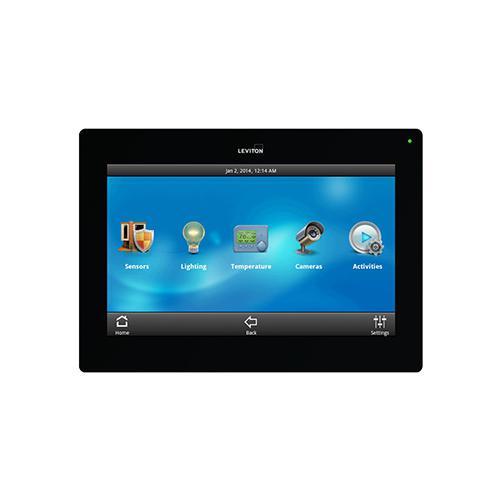
- Omni version updated new shades and support icons on main menu, camera pop-up on event, all off lighting and more
- Lumina™ gateway and omni: access dozens of thermostats including humidity settings, control lighting loads including outdoor signage, control ventilation and window coverings
- Omni - view crisp IP surveillance video footage without any additional hardware, MJPEG and JPEG IP cameras can be viewed, as well as analog with an analog to IP converter
- Omni - arm or disarm your security system or alert emergency personnel, quickly check whether all doors are locked and either unlock or lock any door from one menu
- Omni - quick-glance LED on the top right corner is green when security is disarmed and red when armed, utilize slider bars to adjust lighting load levels from 0 to 100%
- Omni - control Leviton® Hi-Fi 2 distributed audio system or a compatible system from a connectivity partner, user selectable language for omni systems - English, Spanish, French and Italian
- Large approximate 7-diagonal viewing area with minimal plastic surround available in black or white
- Glass front capacitive touchscreen at 800x480 resolution
- PoE connection provides all power and communication
- Firmware updates via ethernet
- 2 W mono digital amplifier and speaker
- Two digital MEMS microphones for improved noise and echo cancellation
- Light sensor allows automatic dimming of display backlight
- Ensure your OmniTouch 7™ has the latest firmware
- Power the unit by PoE injection and connect to a router with IP address assigned from DHCP server
- Enter DEMO1 as the controller address and hit submit
- The screen will refresh into demo mode so that your customer may get a feel for the interface that will control their home or business
- Every screen is responsive to the touch, from slider bar adjustments to dialing up a thermostat to setting a security system